

Your technology is what keeps your business running. It handles everything from customer records to payroll and daily communications. So, when two companies come together, those systems need to work together. If they don’t, you could be looking at downtime, data loss, or frustrated staff. For a small business, these challenges can quickly impact sales and damage your reputation.
The good news is that navigating IT changes doesn’t have to be a headache. With some thoughtful planning and clear steps, you can ensure a smoother transition, protect your business, and even turn this into an opportunity to upgrade and strengthen your operations.
Why IT Transition Matters in M&A (Mergers & Acquisitions)

Data Protection
Safely transferring customer and financial records is a top priority.
Ensuring Business Continuity
Any downtime, especially during IT changes, can lead to significant sales losses.
Reducing Costs
Streamlined systems help eliminate redundancy and boost overall efficiency.
Compliance with Regulations
Laws like GDPR and CCPA still apply during a merger, so companies still must stay compliant during the process.
Practical Insights for Small Business Owners
Conduct an IT Checkup
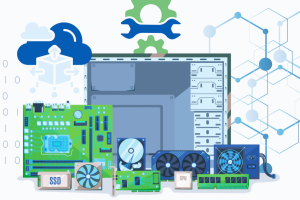
Start by assessing current systems, applications and services. Identify essential tools for daily operations, determine data storage locations (cloud, servers, or apps), and evaluate outdated systems for retirement instead of migration. This process aids in recognizing what should be retained and what requires repairs. Review applications and how business workflow is affected through the merging and/or replacement. Evaluate the services tied to the assets and applications and ensure a smooth transition process.
Make Security a Priority
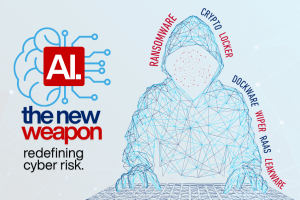
Prioritizing security during transitions is crucial to mitigate cyber threats. Key actions include updating passwords and access rights, maintaining active firewalls and antivirus tools, and educating staff about potential phishing emails. This process can be likened to locking doors before occupying a new office.
Make Sure Your Team Stays Updated
To ensure a smooth transition to new systems, it is crucial to communicate upcoming changes clearly, provide adequate training on new tools, and encourage employee feedback to address potential issues promptly. This approach helps employees adapt quickly, thereby maintaining customer confidence.
Use Cloud Tools to Your Advantage
Cloud platforms such as Microsoft 365 and Google Workspace simplify transitions by reducing hardware concerns, providing remote access beneficial for distributed teams, and allowing easy scalability as businesses expand.
Get Expert Help When Needed
Even with internal IT support, mergers are complex and may benefit from external expertise. Consultants can identify potential risks, develop a clear integration roadmap, and ensure compliance with industry regulations.